AI sheet metal DfM tools are moving from novelty to standard practice. They handle manufacturability analysis and automated design optimization before files reach a shop floor. Buyers should plan for tighter tolerances, digital twin integration, and updated quality gates in their procurement process.
- AI tools now catch bend allowance errors and tooling conflicts during the design phase, reducing costly reworks.
- Automated design optimization suggests material substitutions and flange reductions to lower material waste and labor time.
- Buyers should demand data ownership and version control when adopting AI DfM software in their supply chain.
- Manufacturability analysis will shift from a post-design check to a continuous, real-time feedback loop.
- Prepare for tighter integration between CAD, PLM, and CAM systems to support digital thread workflows.
AI sheet metal DfM tools are changing how engineers and buyers approach part design. The focus has shifted from catching errors during prototyping to preventing them during the modeling phase. AI now processes geometry, material properties, and machine capabilities to flag issues before a single sheet is cut.
How AI Changes the DfM Workflow
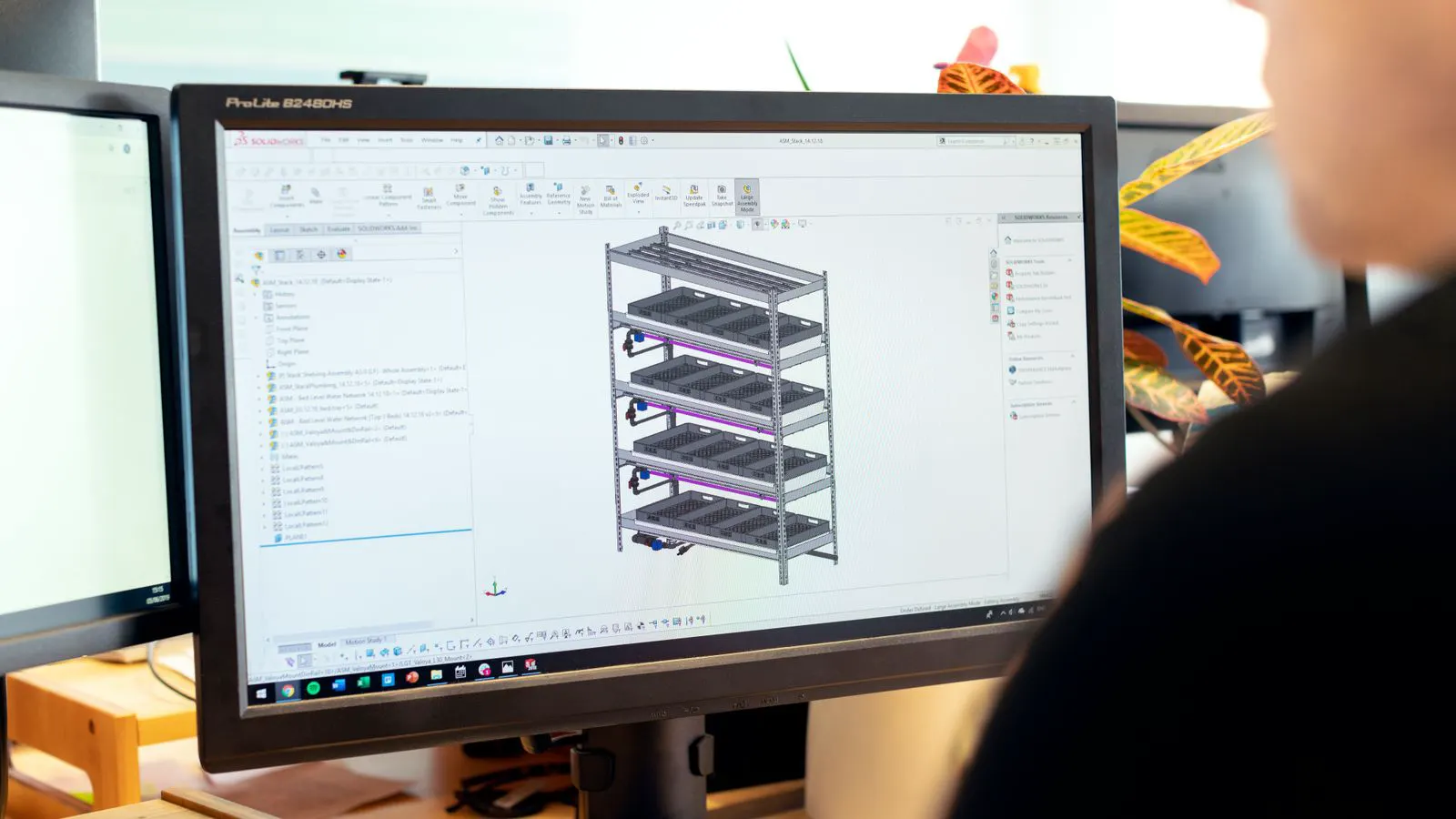
Traditional DfM checks relied on human experience and static rule sets. Engineers would run a design through a checklist for bend radius, flange height, and tooling compatibility. AI extends this by analyzing thousands of variables simultaneously. The system reads the CAD model and compares it against machine databases and past manufacturing outcomes.
This changes the timing of feedback. Instead of receiving a manufacturability report after the design is frozen, the designer sees warnings in real time. A flange that is too short for a punch press is flagged immediately. The designer can adjust the geometry on the fly. This reduces the cycle time for design review and lowers the risk of shop floor surprises.
The tool also handles automated design optimization. If a design uses a 3 mm flange but a 2.5 mm flange would work with the selected tooling, the system suggests the change. It calculates the impact on material cost, bend stress, and assembly fit. The engineer accepts or rejects the suggestion with full transparency.
Five Shifts Buyers Should Plan For
Buyers need to understand how these tools alter the relationship between design and manufacturing. The following shifts will define the next phase of sheet metal procurement.
1. From Static Checklists to Dynamic Analysis
Manufacturability analysis is no longer a one-time event. AI tools monitor the design as it evolves. If an engineer changes the bend direction, the tool recalculates the bend allowance and checks for interference with adjacent features. This dynamic approach catches errors that static checklists miss.
Buyers should update their design review gates. The DfM check is now continuous. Request that vendors provide a live manufactability score or a digital report that updates with each design iteration. This gives you visibility into the design health before release.
2. Automated Optimization Becomes Standard
Automated design optimization is moving from a premium feature to a baseline expectation. Tools now suggest changes to geometry, material thickness, and nesting patterns to reduce cost. For example, the system might recommend a thinner material gauge if the part does not require the structural strength of the original specification.
This shift requires buyers to re-evaluate their material specifications. A fixed material call may no longer be the most cost-effective approach. Prepare for proposals that include optimized material suggestions. Evaluate these changes based on performance requirements, not just cost savings.
3. Digital Twin Integration
AI DfM tools are increasingly integrated with digital twin platforms. A digital twin is a virtual replica of the physical part and the manufacturing process. The tool simulates the bending, cutting, and finishing steps in a virtual environment. This helps predict how the part will behave in service.
For buyers, this means more detailed performance data in the design phase. You can validate structural integrity and functional fit before physical samples are made. Request digital twin reports for critical components. This data supports better quality assurance planning.
4. Data Ownership and Version Control
As AI tools become more central to design, data ownership becomes a critical issue. The AI model learns from historical data, which may include your proprietary designs. You need clear contracts that define data usage, storage, and deletion.
Version control is also essential. AI tools generate multiple design iterations. You need a system to track which version was optimized, by whom, and with what parameters. Implement a digital thread that links the AI recommendations to the final released design. This ensures traceability and audit readiness.
5. Skilled Hybrid Teams
AI does not replace engineers. It requires engineers who understand both design and manufacturing. The most effective teams combine CAD skills with process knowledge. The engineer must interpret AI suggestions and validate them against physical constraints.
Plan for training. Your design staff will need to learn how to interact with AI DfM tools. This includes understanding the logic behind recommendations and knowing when to override the system. Invest in cross-functional training that bridges design and manufacturing teams.
Practical Preparation Steps
Preparing for AI-driven DfM requires action on multiple fronts. Start by auditing your current design process. Identify where DfM checks are performed and how long they take. Map these steps to the new AI workflow.
Step 1: Audit Current DfM Practices
Document your existing DfM checks. List the tools, standards, and personnel involved. Identify gaps where manual checks are slow or error-prone. This baseline will help you measure the impact of AI adoption.
Step 2: Define Data Requirements
Determine what data the AI tools need to operate. This includes CAD files, material properties, machine specifications, and historical manufacturing data. Ensure your data is clean and standardized. Poor data quality leads to poor AI recommendations.
Step 3: Update Procurement Standards
Revise your RFQs and design specifications to account for AI-driven optimization. Allow vendors to propose optimized designs. Define clear criteria for accepting or rejecting AI suggestions. This ensures that optimization aligns with your quality and cost goals.
Step 4: Train Design Teams
Provide training for your design staff. Focus on how AI tools work, how to interpret their output, and how to validate recommendations. Encourage experimentation in a safe environment. This builds confidence and competence in using AI for DfM.
Step 5: Establish a Feedback Loop
Create a system to feed manufacturing outcomes back into the AI tools. When a part is manufactured, record any issues or adjustments made on the shop floor. This data improves the accuracy of future AI predictions. A continuous feedback loop is key to maximizing the value of AI DfM.
Table: AI DfM Features and Buyer Impact
| AI DfM Feature | Description | Buyer Impact |
|---|---|---|
| Real-time Geometry Checks | Flags bend errors, interference, and tooling conflicts as the design evolves. | Reduces design review time and prevents shop floor reworks. |
| Automated Optimization | Suggests material, geometry, and nesting changes to lower cost and improve manufacturability. | Enables data-driven material selection and cost reduction. |
| Digital Twin Simulation | Simulates manufacturing steps and service behavior in a virtual environment. | Provides early performance validation and quality planning data. |
| Predictive Tooling Analysis | Estimates tool wear, setup time, and maintenance needs based on design complexity. | Improves production scheduling and reduces downtime risks. |
| Automated Nesting | Optimizes part placement on the sheet to minimize material waste. | Lowers material costs and supports sustainability goals. |
Common Pitfalls to Avoid
While AI DfM offers significant benefits, there are risks if not managed properly. Over-reliance on AI suggestions without human validation can lead to subtle errors. The AI may miss context-specific constraints that human engineers would catch. Always review AI recommendations against your specific requirements.
Another pitfall is poor data integration. If your CAD, PLM, and CAM systems are not connected, AI tools cannot access the full context. This leads to incomplete analysis and inaccurate recommendations. Invest in system integration before adopting AI DfM software.
Finally, be cautious of vendor lock-in. Some AI tools are proprietary and difficult to export. Ensure that your data and models are portable. This gives you flexibility to switch vendors if needed.
How to Evaluate AI DfM Vendors
When selecting an AI DfM vendor, focus on practical capabilities rather than marketing claims. Ask about their data processing capabilities and how they handle proprietary information. Request a demo using one of your existing parts. This shows how the tool performs in a real-world scenario.
Check their integration capabilities. The tool should work with your CAD and PLM systems. If it does not, you will face manual data entry, which negates the benefits of automation. Ensure the vendor provides clear documentation and support.
Ask about their update frequency. AI models improve over time. A vendor that regularly updates their models will provide better long-term value. This is especially important as manufacturing technologies evolve.
The Future of AI in Sheet Metal Design
AI sheet metal DfM is not just a temporary trend. It is a fundamental shift in how parts are designed and manufactured. The next few years will bring deeper integration with other digital tools. Expect AI to play a larger role in supply chain planning and predictive maintenance.
For buyers, the opportunity is clear. By preparing now, you can gain a competitive advantage. You will have faster design cycles, lower costs, and higher quality parts. The key is to take action. Audit your processes, update your standards, and train your teams.
The future of sheet metal design is digital. AI is the engine that drives this change. Embrace it, and you will be ready for the next phase of manufacturing innovation.
Frequently asked questions
How does AI sheet metal DfM differ from traditional DfM checks?
AI tools perform dynamic, real-time analysis of geometry, material, and machine data. Traditional checks rely on static checklists and manual review, which are slower and less comprehensive.
What data do AI DfM tools need to operate effectively?
They require clean CAD files, material property databases, machine specifications, and historical manufacturing data. The quality of this data directly impacts the accuracy of AI recommendations.
Can AI DfM tools replace human engineers?
No. AI tools assist engineers by handling complex calculations and flagging potential issues. Human engineers are still needed to interpret results, validate against context-specific constraints, and make final design decisions.
How do I start preparing my organization for AI DfM?
Audit your current DfM processes, clean and standardize your design data, and update your procurement standards to allow for optimized designs. Train your design staff to use AI tools effectively.
What are the main risks of adopting AI DfM tools?
The main risks include over-reliance on AI suggestions without human validation, poor data integration, and vendor lock-in. Mitigate these by establishing clear data governance, ensuring system compatibility, and maintaining data portability.